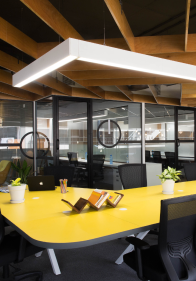
Most teams size a global capability center office for the number in the approval memo. Then hiring moves faster than anyone planned. People share desks, meetings spill into corridors, and a move starts to look likely. We can avoid that. In this guide, we walk through a simple way to plan seats, layout and expansion terms for a team that will triple, so you can grow in place.
A global capability center rarely hires everyone at once. Leaders arrive first. The team for the first function joins next. Later, when the parent company adds a new mandate, a second wave often follows. Each wave needs a different mix of desks, rooms and shared space.
A move halfway through the ramp costs more than rent. We pay for IT rework, downtime and often a fresh security review. Hiring can slow while people pack boxes and adjust to new commutes.
One headcount number will not hold. We plan with three: a low case, a base case and a high case.
Pick three checkpoints: month 6, month 12 and month 24. For each, write down the headcount in all three cases. Those nine numbers show how fast the space may need to grow.
Don’t guess. Start with what the parent company has approved. Then look at the hiring plan and the mandate the center has been given. If leadership expects a second function to move over in year two, the high case should show it.
We size the office for the base case. The low case leaves empty desks, and the high case locks in cost before the team shows up. What matters is a clear, written path from the base case to the high case.
Don’t take a provider’s word that extra space exists. Ask to see where the additional seats would sit on a floor plan. If they can’t show you, the promise isn’t real yet.
Under a hybrid model, you rarely need one desk for every employee. Many hybrid workplaces plan for roughly 70 to 85 seats per 100 employees, then adjust based on peak-day attendance. Treat this as a planning range, not an industry standard. The right number depends on attendance patterns and team workflows, and it should be validated with actual utilization data once you have it.
If most people come in Tuesday to Thursday, those days set your seat count. A team that comes in five days a week needs close to one seat per person. Plan around the busiest day, then add a small buffer.
Desk sharing can suit teams with staggered schedules, like support or sales. It is a poor fit for engineers who want the same setup daily. It may also not be suitable for teams that handle confidential data or regulated processes, where fixed desks and tighter access controls are often required. We keep fixed desks for those groups.
Seats are only half the plan. Rooms and shared spaces grow in steps too.
A broad starting benchmark is one meeting room per 15 to 20 employees. Meeting-intensive teams, such as sales, client delivery or recruiting-heavy teams, may need closer to one room per 10 to 12 people. Engineering-heavy or heads-down teams may need fewer. Add phone booths as headcount grows, and check bookings and actual use before adding more rooms.
A pantry that works at 30 people will jam at lunch with 90. Reception has to handle more visitors, and a training or town hall space starts to pay off as the team grows.
| Stage | Meeting rooms (starting point) | Phone booths | Shared spaces |
| Starting size (30 people) | 2 | A few | Small pantry, simple reception |
| 2x (60 people) | 3 to 4 | More, as calls increase | Larger pantry, visitor-ready reception |
| 3x (90 people) | 5 to 6 | Sized to call volume | Large pantry, training or town hall space |
These numbers use the 15 to 20 people per room benchmark and are an illustration. Adjust them for your team type and validate them against real utilization.
When a floor fills up piece by piece, teams end up split across corners. Look at which teams are most likely to grow, then reserve the space next to them. When the next hiring wave arrives, the new people sit beside their team, not three rows away.
A pantry or lounge that everyone walks through does a lot of quiet work. At 30 people, culture builds on its own because everyone sits close. At 90, it needs help. A shared anchor gives people a reason to cross paths.
Security is easier to set up early than to redo later. GCC space planning also has to account for data-security and access-control requirements, network segregation for sensitive work, the parent company’s security policies, and audit and compliance needs. These requirements differ by company and by function, so confirm them with the parent company’s security and compliance teams before you finalize a layout.
Split the floor into two parts from day one. Work areas stay restricted to staff. Visitor areas, like reception and a meeting room near the entrance, sit outside that line. As you grow, new seats join the secure zone and visitor traffic stays where it is.
Ask how access cards and the network will reach new seats. A good setup lets us add desks without new cabling, a new access system or another round of approval from the parent company. Also ask whether sensitive teams can sit on a separate network. If adding seats means starting over, the plan won’t hold at 3x.
Each model handles growth differently.
| Model | Setup time | Lock-in | Ease of adding seats |
| Managed office | Often weeks | Usually short to medium term | Varies by building and provider |
| Traditional lease | Often several months | Usually long term | Often harder, may need a new floor or building |
| Partner-led setup | Depends on the partner | Depends on the contract | Depends on the partner’s scope and contract |
Ease of adding seats depends on the provider’s available inventory, building capacity and contract terms. Timelines and lock-in periods vary, so confirm them for each option you shortlist.
GCC as a service is not a standardized category. The term is generally used for a partner-led operating model in which workspace, IT, compliance, hiring support and ongoing operations may be bundled. Sansovi’s GCC as a service offering is one example of a provider approach for launching and running a global capability center. The exact scope, pricing and flexibility vary by provider, so compare what each one includes and who owns each responsibility.
A long lease sized for 3x only works if you reach 3x on schedule. If hiring slows or the mandate changes, we pay for empty seats for years. Starting smaller, with room to add seats and written expansion protections, keeps that risk lower.
Get these five terms in writing before you sign.
| Term | What to ask |
| Extra seats available | How many more seats can we add, and by when? |
| Where they are | Same floor, next floor or a different building? |
| Price for extra seats | Is the price fixed or capped, or set at market rate on the day we ask? |
| Notice period | How many days from our request to move-in? |
| Option to reduce seats | Can we cut seats after the minimum term, and with how much notice? |
Pick an occupancy level that tells you when to ask for more seats. Around 80% is a useful example, not a standard. Set your own trigger using four inputs:
If a provider needs eight weeks to add seats and you hire quickly, your trigger should be lower. That way growth never means people working from the pantry.
At GoodWorks, we offer managed offices where teams can start with the seats they need and add more as hiring grows, subject to availability. Our managed office spaces in Bangalore are one place to start. If you’re launching or scaling a global capability center, share your headcount scenarios and security requirements with us, and explore our GCC workspace solutions to see what fits.
Planning office space for a global capability center that will triple comes down to one decision. Plan for the base case, and get the path to the high case in writing. Do that first, and the seats, rooms and layout fall into place around it. The team can then keep hiring without a move in between, wherever the space allows it.